
Dream journal guides
How to keep a dream journalA short template and examples
“I was at a station. I felt a little rushed.” A dream journal can start with just that. Write down one scene and one feeling you remember.
One scene and one feeling
You do not need to turn a dream into a complete story. Start with what happened and how it felt. This template works in a notebook or iPhone Notes.
A template you can use
Date:
Scene: Where were you? What happened?
Feeling: How did it feel?
If you cannot recall a feeling, “not sure” is enough. Add a color or sound if it stood out. A title can wait.
Three short examples
These are made-up examples. You do not have to fill in the parts you cannot remember.
You remember a scene
Scene: I was waiting for a train at an unfamiliar station.
Feeling: A little anxious that I would miss it.
Only one fragment remains
Scene: A blue door. I think someone was on the other side.
Feeling: Curious. I cannot remember whether I was scared.
The feeling stays longer than the story
Scene: I remember almost nothing about what happened.
Feeling: Familiar and comforting.
If you remember more later, add it under “Remembered later.” This keeps your first recollection separate from later details.
Fragments are enough
- The order is unclear: List a few words, such as “sea,” “stairs,” and “a friend.”
- You cannot identify someone: Write “someone who seemed familiar” rather than guessing.
- You remember nothing: Write “I do not remember a dream today” or skip the entry.
Keep the record separate from any interpretation. Writing “I saw a station” does not require you to draw a conclusion about your mind or your future.
Save and revisit a dream on iPhone
If typing feels like too much, try saying a few words aloud. See how to record a dream with voice input on iPhone for a short example and the steps.
In DreamVoice, tap “Record a dream” in the timeline and enter your words under “Your Dream.” Choose “Save draft” to keep them for later. If you also want an AI reflection, choose “Call Dream Voice.”
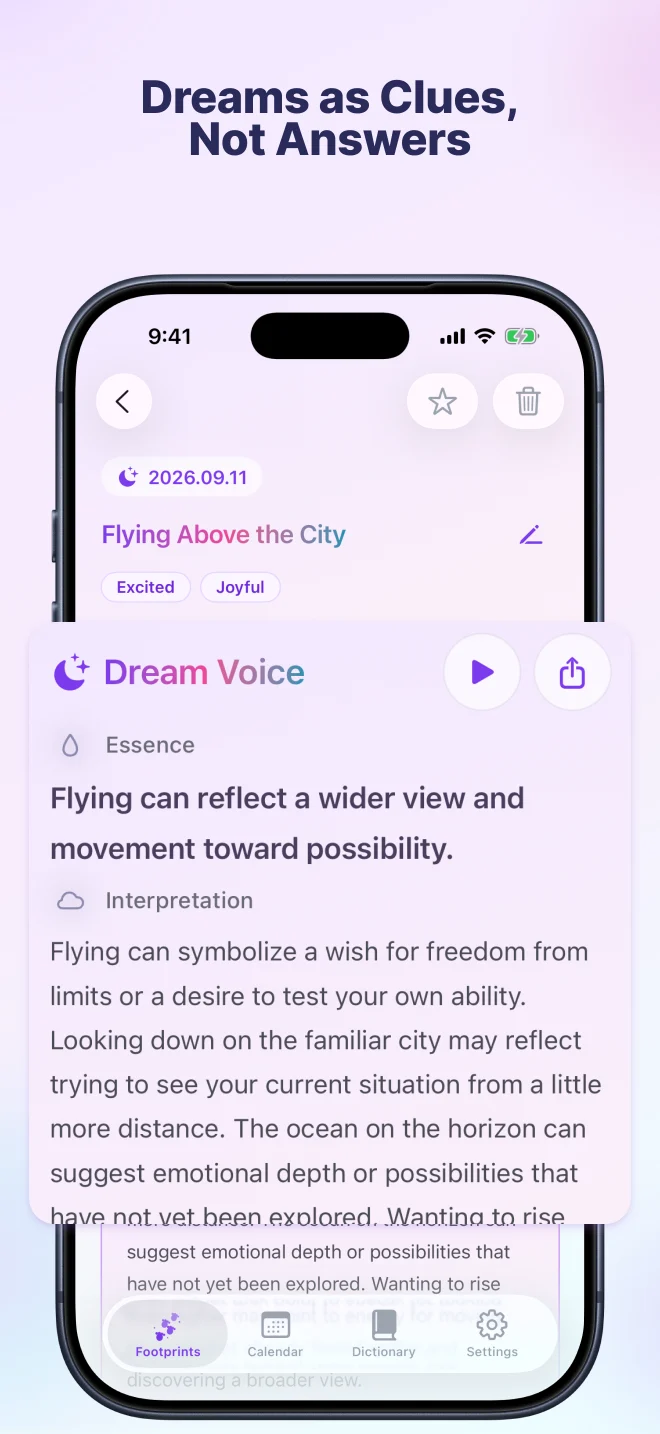
Drafts are saved on your device. Requesting a Dream Voice sends your dream text and related input to the server. Read the Privacy Policy for details.
DreamVoice is currently free. Daily usage limits apply to AI reflections; see the app for the current limits. It supports iPhone with iOS 18 or later and iPad with iPadOS 18 or later.