
Dream journal guides
How to revisit a dream journalCompare two entries in three steps
When you have a few dream entries, read one and look for another with a similar scene. Note one thing they share and one thing that differs. You can stop there without deciding what a dream means or drawing a conclusion about your state of mind.
These steps also work in a paper journal or a notes app. If you are just starting, see how to keep a dream journal.
1. Read one entry as you wrote it
Pick a recent entry or one that comes to mind. Read its date and original words. Notice which scenes and feelings you actually recorded. If no feeling was written down, leave that part blank.
A thought that comes to you today belongs to today, even if it seems to fit the dream. Keep it separate from the old entry. If an AI reading is available, read your original dream and the AI response as separate texts.
2. Choose another dream with something in common
Look for another entry with a place, person, or feeling in common. The dreams do not have to match closely. A small connection such as a station in both entries is enough.
Then look for a difference. Who was there? What were you doing? Which feelings were written down? Put the two records side by side without assigning the shared detail a fixed meaning.
3. Write one shared detail and one difference
Use paper or a notes app for a short comparison. You can leave any line empty.
Dates compared:
Something in common:
Something different:
My words after rereading:
The last line is a note from today, not an explanation of the dream. “I don't know yet” or “That's enough for today” is fine. Adding today's date helps keep this thought apart from the original entry.
An example with two entries
The following entries are made up to show the steps. They are not anyone's private dream record and do not indicate a psychological state or predict an event.
First entry
I waited for a train on a station platform. I could not find the timetable and felt a little rushed.
Another day's entry
I waited for a friend on a bench at the station. I heard people talking in the distance and felt calm.
A note after rereading
In common: I was waiting at a station in both dreams.
Different: I was waiting for someone or something different and felt different each time.
My words today: “Waiting did not feel the same in both entries.”
There is no need to conclude that a station means anxiety or that one calm dream solved a problem. Noticing a difference in a similar scene can be enough.
When there is no second entry
If you have just one entry, keep that dream and your thoughts today separate. You do not have to force a match with another dream. Leave any feeling or event that you did not record unknown.
A repeated detail does not require an interpretation based on its count. You can close an entry when you do not want to reread it. Writing every day or finding an insight each time is not a requirement.
Find saved dreams in DreamVoice
In the public 3.15.0 release, DreamVoice can help you return to saved dreams by date in Calendar or by symbol in Dream Dictionary. These are ways to find existing entries. See the journal guide for recording a new one.
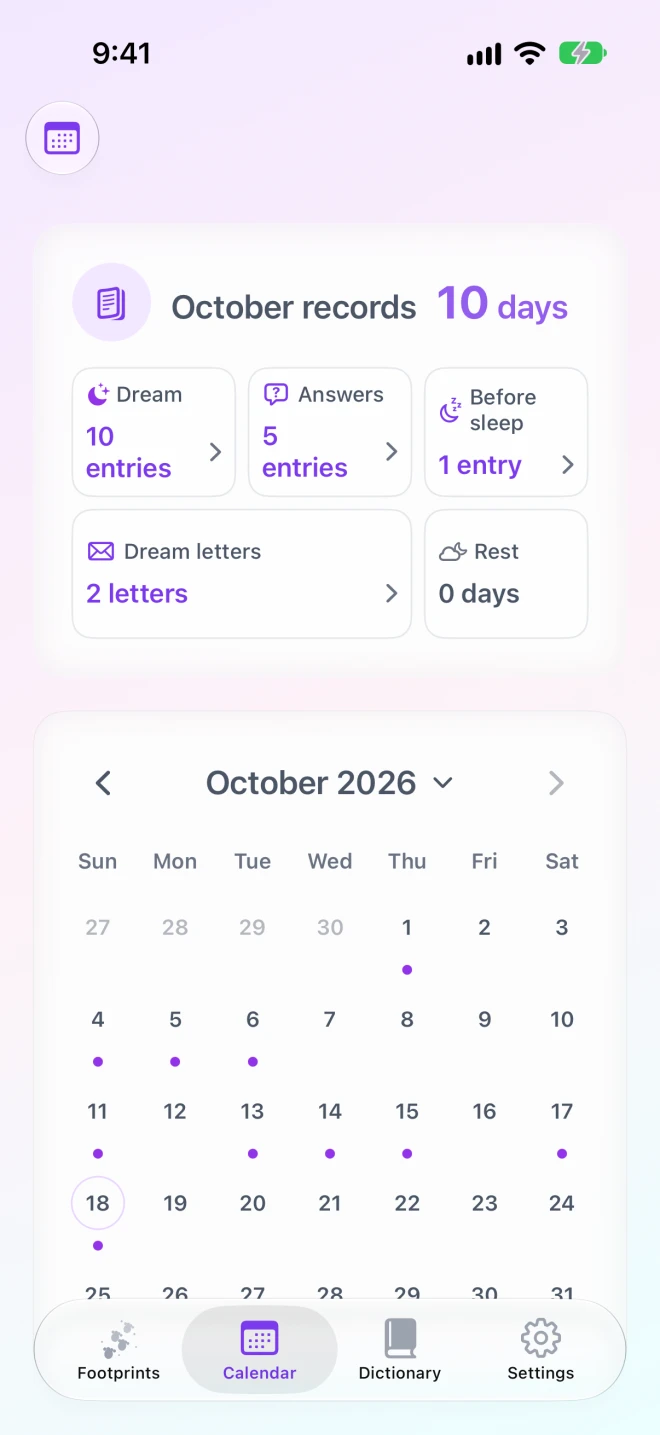
Start with Calendar if you know the date
Open Calendar and choose a month. Tap a date with a saved entry, then choose the dream you want to reread. Read its original words and any feeling you recorded. Return to the calendar to open a second entry on another date.
Start with a symbol in Dream Dictionary
Search for a symbol in Dream Dictionary or choose one from the list. Under “Dreams where this symbol appeared”, select “View this dream” to return to its original entry. Compare the scene and recorded feeling in each dream rather than relying on a symbol description alone.
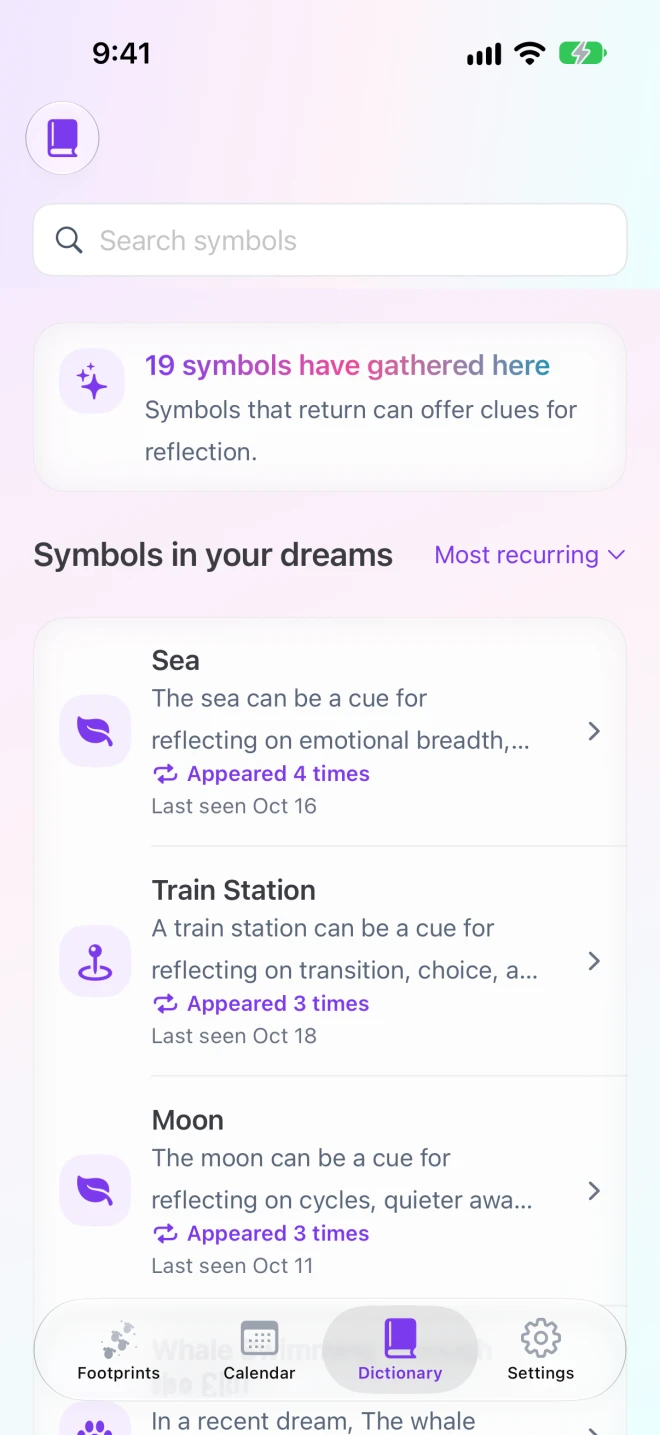
The comparison note in this guide belongs on paper or in a notes app; it is not a dedicated comparison field in DreamVoice. If no symbol has appeared yet, use Calendar or Footprints to find a dream. AI readings can be one point of reference, not a diagnosis or prediction.